 Generato
Turn any image into a 3D model
Upload a photo, pick an image from the web, or paste an image link. Generato isolates the main subject and rebuilds it as a photoreal 3D Gaussian splat you can download, view over your phone camera, or place in mixed reality on Meta Quest.
Convert an image to 3D — free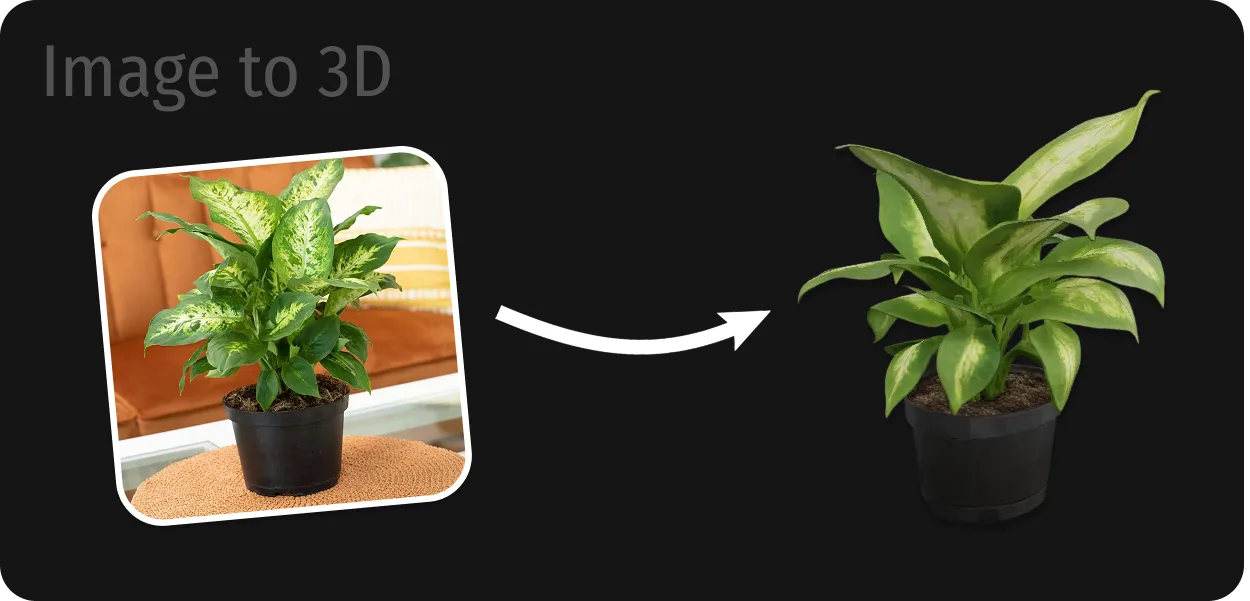
Three ways to start
Upload a photo
Use a picture from your phone or computer — a product shot, a toy, a plant, a piece of furniture.
Search the web
Type what you are looking for and choose from image results without leaving Generato.
Paste an image link
Drop in the URL of any image, such as a product page photo, and convert it straight to 3D.
How image to 3D conversion works
Generato sends your image to Tripo's TripoSplat model. It focuses on the main object, estimates the sides the camera could not see, and builds a 3D Gaussian splat — a cloud of soft coloured points that keeps the look of the original photo. The finished model is saved to your personal library, ready to download as a PLY file or to open in AR and VR.
Photos that convert well
- One clear subject that fills a good part of the frame.
- Even lighting without heavy shadows or strong reflections.
- The whole object in view — nothing cut off at the edges.
- A plain or uncluttered background helps the subject stand out.
Uploads are checked by automated moderation. Images of real people for deepfakes, explicit content and other prohibited material are blocked — see the Terms & Conditions.
Frequently asked questions
Can I convert a photo to a 3D model for free?
Yes. You get free credits when you sign up, and each credit converts one image into a 3D model. Extra credits are sold as one-time packs that never expire.
What kinds of images work best?
Product photos, objects, plants, furniture, toys and characters with a single clear subject work best. Busy scenes with many objects give weaker results because only the main subject is reconstructed.
What format is the 3D model?
Every model downloads as a PLY Gaussian splat. It opens in splat tools such as SuperSplat, in PlayCanvas and Three.js, and in Unity or Unreal with a Gaussian splatting plugin.
Can I use an image from a website?
Yes. Paste the image URL or use the built-in web image search. Make sure you have the right to use the image you convert.
Can I see the result in my room?
Yes. View it over your phone camera on iPhone or Android, or enter mixed reality on a Meta Quest headset to place it in your real space.
More from Generato
Convert an image to 3D
Start with free credits. No subscription, no install — it runs in your browser and on Meta Quest.
Open Generato